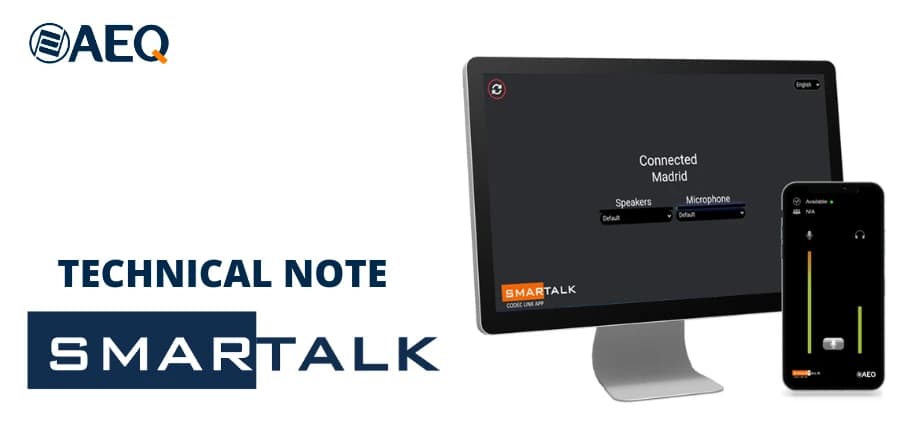
The web-based SMARTALK application generates links, which are sent to the correspondent by email, WhatsApp, QR code or any other means. When the correspondent clicks on the link, the application sends him an OPUS audiocodec that connects to the station's AEQ Phoenix audiocodec. Without further intervention, the audio link between the device's microphone and speaker or headphones, and the station's audiocodec, is ready. You don't need to have an audiocodec, install a special software, or have to be helped to¬ figure it out and use it. Thus, sporadic collaborators can broadcast from anywhere there is Internet connectivity. The participant receives the link, clicks, the welcome screen appears, clicks again and is ready to participate. Sending a reporter, or a mobile unit, or moving the guest is avoided, as they use their own computer or smartphone to connect and participate. Any user of AEQ Phoenix audiocodecs can subscribe to the SMARTALK service on a trial basis. If after the trial you decide to subscribe to the service, you can purchase a renewable annual license based on the number of studio audiocodecs you want to enable for the service. SMARTALK subscribers can make any use of the service as they see fit, and send their connection link as many times as they need during the subscription period, for the number of licensed Phoenix audiocodecs. When a license, trial or permanent, is activated on a PC of the station, the web application is activated so that SMARTALK users can create the "GUESTS" or users of remote terminals, send them the links, assign calls to audiocodecs and put them on the air. There is also an administrator window, to register or modify stations, audiocodecs and other users. If SMARTALK is enabled for a state-of-the-art AEQ Phoenix audiocodec (Venus 4), individual audiocodec channels can be preset to SMARTALK, allowing a studio audiocodec to dynamically work with SMARTALK or against other portable audiocodecs. In other Phoenix audiocodecs, channels can be assigned to the service manually. SMARTALK uses the very high-quality OPUS encoding of AEQ Phoenix audio codecs, allowing you to choose modes that allow you to use a remote PC, connecting a sound jack to it, even to broadcast music events. To ensure high availability and low delay, a redundant infrastructure has been created and distributed across several cloud servers in different regions of the world, so that each audiocodec works against a sufficiently close cloud infrastructure. For greater operational flexibility, two working modes have been defined: Guest mode, the most common: The studio sends a link by email, WhatsApp or QR code image. Accepting the link opens a welcome screen, and clicking on it registers the user on the operator's waiting list, to go on air at the right time. Reporter mode: Sometimes you can work without an operator in the studio. In this case, by tapping on the welcome screen, the user remains active in the air on the pre-assigned codec line or the one available at the station. To configure an AEQ Phoenix audiocodec to implement the SMARTALK service, and try it for free, you have:
• An user manual in: https://aeq.es/wp-content/uploads/2023/08/AEQ-SmarTALK-Users-Manual.pdf
• And the support of AEQ's commercial network.
For more detailed information, visit www.aeq.eu, send an email to aeqsales@aeq.es or call +34 91 686 1300. From the USA, call (954) 581-7999, toll free from 800 728 0536, send an email to sales@aeqbroadcast.com or visit our website www.aeqbroadcast.com